
Web Design & UX exercise of an internal checklist management tool (CLM) utilized for QA testing
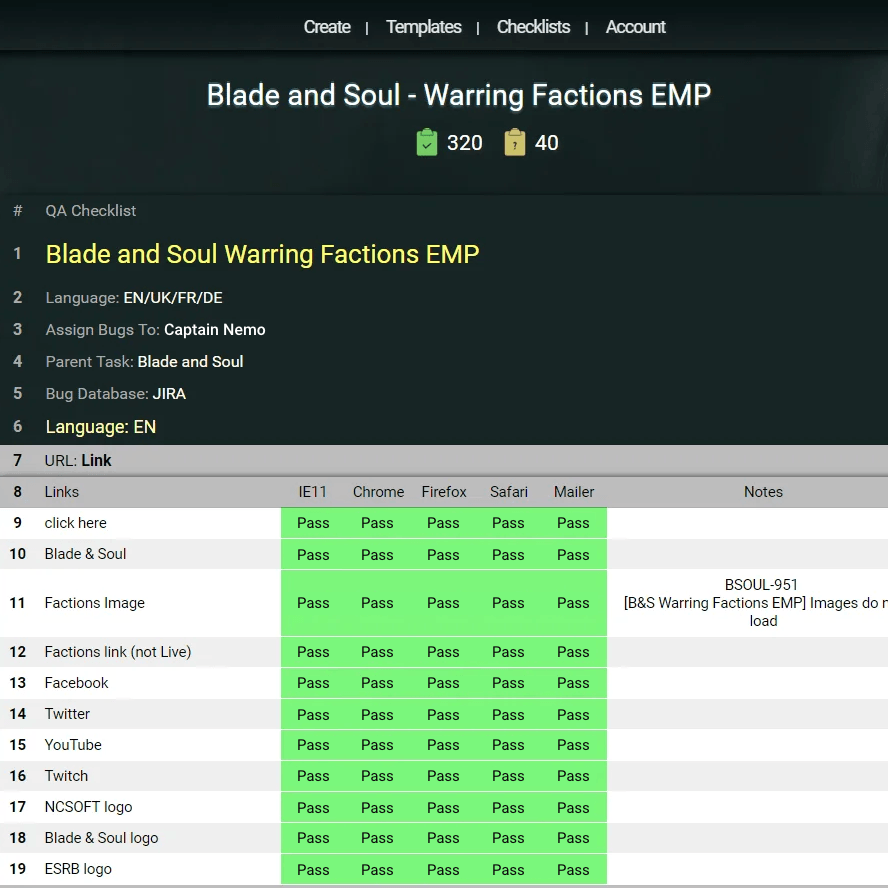
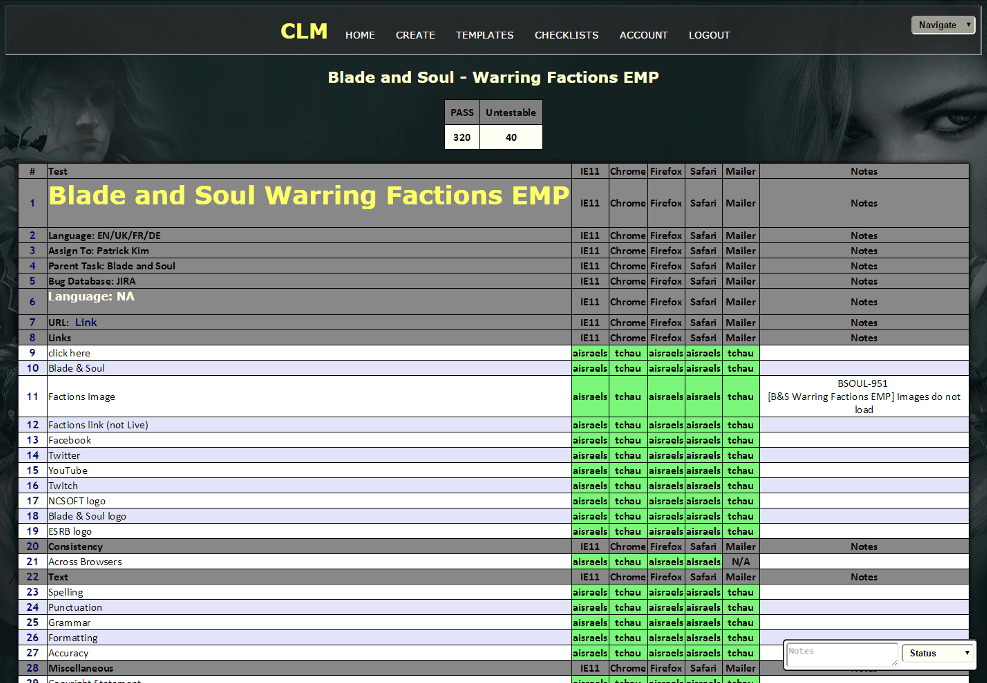
Here is what CLM looks like in it’s current state:
What is CLM?
Testers across multiple teams can use CLM to create, manage, execute checklists, and generate reports. Think of it as a custom-tailored and more manageable Excel spreadsheet just for testing. For a QA department, it's an all-in-one, convenient tool that anyone can access in one common location.
How does it work?
Testers can log in, view checklists, and multiple testers can work on the same checklist by “Claiming” cells to avoid doing redundant work. Each cell can be marked with a resolution: Pass, Fail, NMI (Needs more info), Untestable, and Notes can be added as well.
It’s a useful tool for testing and widely adopted by our QA Department
Here is the CLM Redesign:
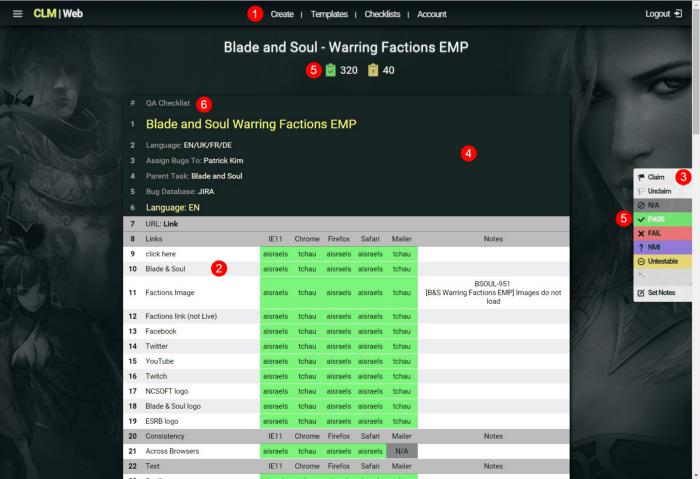
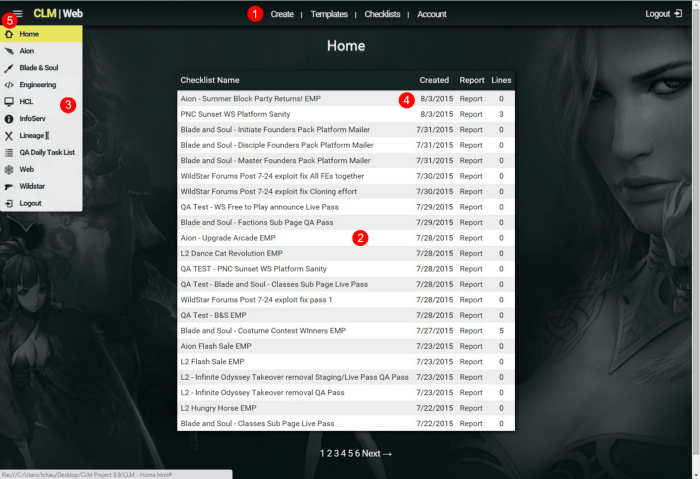
Some improvements I've made
- Increased the usability and access of the navigation bar by fixing it to top of the screen and rearranging the links
- Enhanced readability by stripping table formatting, increasing cell padding and reducing font weight
- Displayed items in more coherent menus (main menu drop-down and right hand sticky menu)
- Added visual resting points by reducing excess noise in table styling
- Introduced icons to guide the user’s eyes towards action items
- Defined visual hierarchy by creating a unified theme using typography and color
Before & After
CLM Checklist View
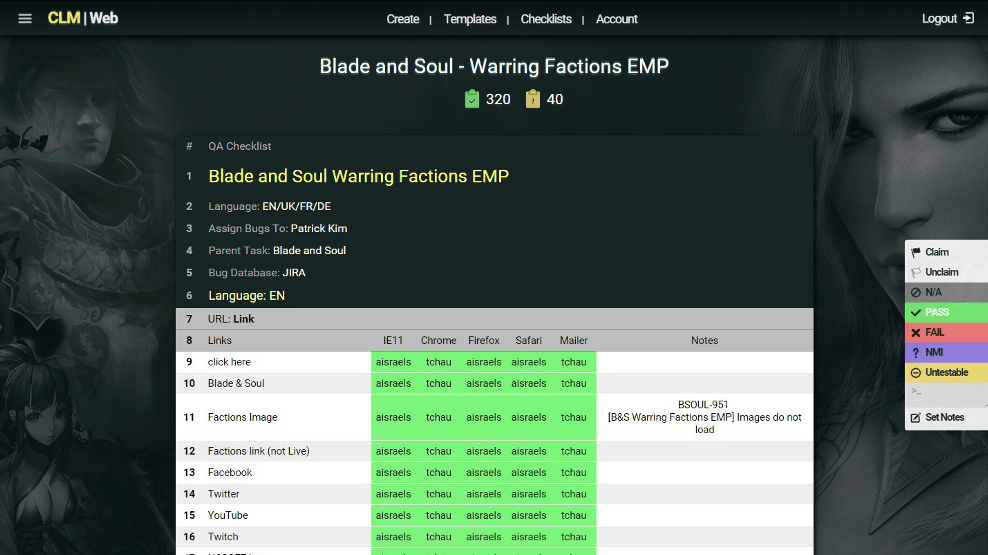
Redesigned to make it easier on the eyes and simpler to use
CLM Home View
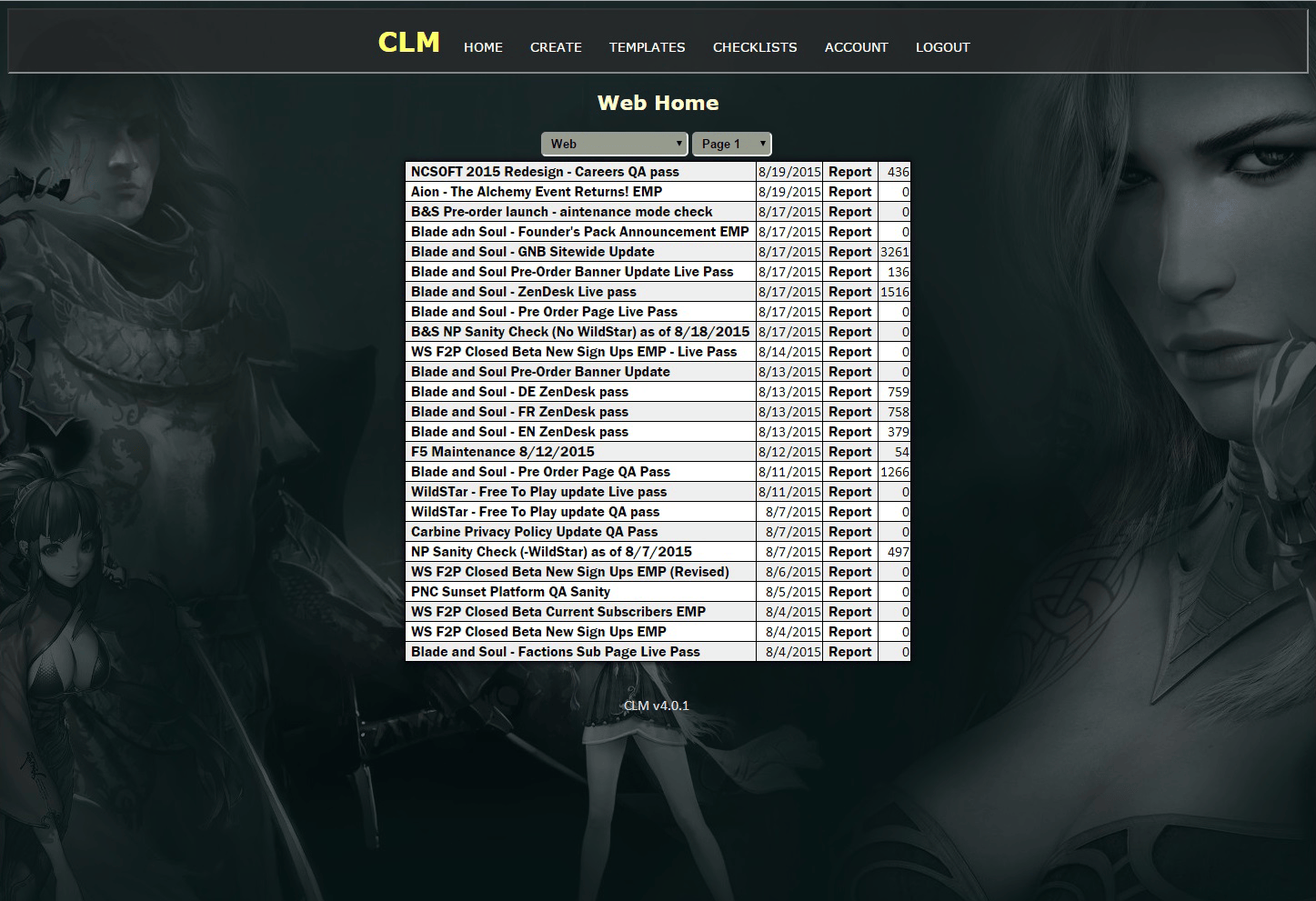
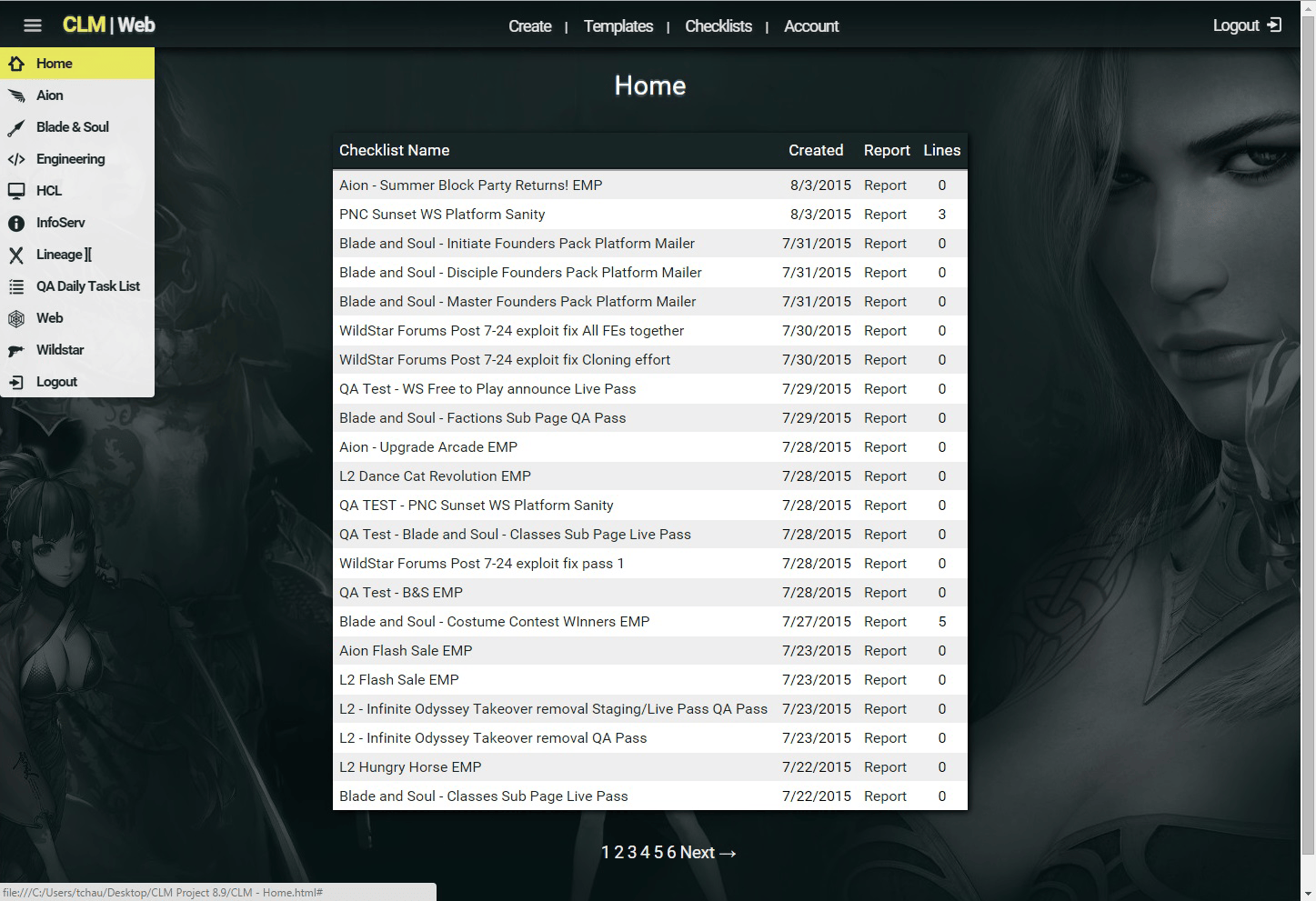
Reducing the visual clutter showcases the content and improves legibility.
All together these changes make CLM easier to navigate, read, and use.
This results in a better user experience and happier test analysts.